



Ever wondered why your favorite designers are obsessed with importing the US ANSI Logitech MX Mechanical Mini to the Netherlands?
Is it actually worth the effort to import the US ANSI Logitech MX Mechanical Mini to the Netherlands instead of just buying the local ISO layout? If you have spent any time in developer circles or design subreddits lately, you have probably noticed a massive trend. Professionals are bypassing local retail options to source the specific US ANSI version of this keyboard—particularly in that sleek Pale Grey finish.
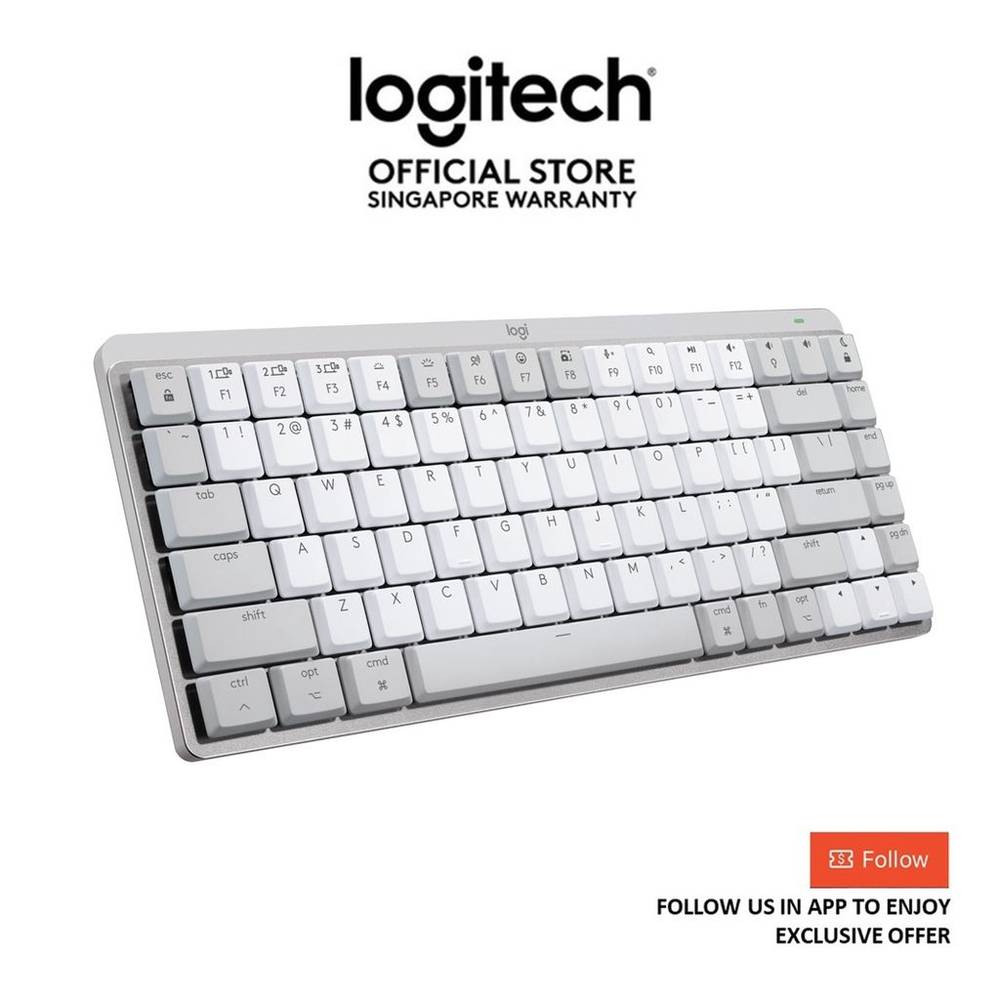
 Amazon US
Why the US ANSI Layout is Trending for Mac Users
While the Netherlands typically uses a variety of layouts, the US ANSI layout—characterized by its horizontal Enter key and specific placement of symbols—has become the gold standard for many 2026 workspace setups. For developers and Mac users, the ANSI layout offers a more symmetrical typing experience and better compatibility with custom keycap sets.
The Logitech MX Mechanical Mini for Mac in Pale Grey is particularly sought after because it matches the Apple aesthetic perfectly. However, finding the specific US ANSI layout in European retail stores can be nearly impossible. This has led to a surge in users looking to shop us store options to find the exact hardware they need for their ergonomic goals.
How to Find the Pale Grey Version in US Stores
To get your hands on this specific model, you need to look at major US retailers like Amazon US, Best Buy, or the official Logitech US store. These outlets carry the full range of mechanical switches (Tactile Quiet, Linear, or Clicky) in the Pale Grey colorway that is often restricted in other regions.
When you browse these sites, you will see that the prices often look much better than local Dutch listings, even before accounting for shipping. To get started, you will need a tax-free us address. This allows you to checkout just like a US resident, avoiding state sales taxes before the item is sent abroad.
A Step-by-Step Plan for Shipping to the Netherlands
Once you have identified your keyboard, the logistics of getting it to your door in Amsterdam, Rotterdam, or Utrecht becomes the next step. Using a freight forwarder is the most reliable method to bridge the gap between US-only shipping and your home address.
Here is the blueprint for your 2026 tech import:
- Sign up for a shop us ship international account to receive your dedicated US warehouse address.
- Place your order at the US retailer and use that address as your delivery destination.
- Once the package arrives at the warehouse, you can use an shipping calculator to see exactly what the journey across the Atlantic will cost.
- Select your preferred courier and track your Netherlands delivery right to your doorstep.
Solving Order Cancellations with the BuyForMe Service
Have you ever tried to buy something from a US store like Apple or a specialized tech boutique only to have your order immediately cancelled? This is a common frustration for shoppers in the Netherlands. Many high-profile US retailers block international credit cards or refuse to ship to addresses they associate with package forwarders.
This is where the "BuyForMe" service becomes essential. Instead of risking a declined transaction, you can have comGateway act as your local buyer. You simply tell them which Logitech keyboard you want, and they will use a US domestic credit card to complete the purchase on your behalf. This is the safest way to guarantee your order doesn't get flagged or cancelled by strict US payment systems. It removes the barrier between you and stores that usually guard their inventory against international buyers.
Handling Import Tax and Customs in the Netherlands
Before finalizing your import, it is smart to understand the local regulations. When you buy from US ship to Netherlands, your package will pass through Dutch Customs. You should be prepared to pay the standard VAT (BTW) and potential administrative fees from the courier.
Check our guide on import tax to understand how these charges are calculated. Knowing your international shipping rates upfront, combined with a clear view of customs duties, ensures there are no surprises when the delivery van arrives. By following this structured plan, you can secure the US ANSI Logitech MX Mechanical Mini and finally complete your 2026 Mac setup with the exact layout you prefer.
-
April 20, 2026
Save $75 on a Logitech MX Mechanical Mini for Mac and avoid the local layout trap in Singapore
Thinking of buying the Logitech MX Mechanical Mini for Mac in Singapore? You might save $75 but lose functionality if you pick the wrong layout in 2026.Continue Reading
-
April 20, 2026
Does saving $65 on a Logitech MX Mechanical Mini for Mac make the US ANSI layout a better choice for Australians?
Australian developers are increasingly importing the US ANSI Logitech MX Mechanical Mini. Is the $65 saving and horizontal Enter key worth the wait?Continue Reading
-
April 20, 2026
Local Retailer Scarcity vs. US Import Risks for the Logitech MX Mechanical Mini for Mac
Ignoring proper import protocols for the Logitech MX Mechanical Mini US ANSI layout can lead to seized shipments and significant financial loss in Malaysia.Continue Reading
-
April 20, 2026
Why paying 150 dollars for a US ANSI Logitech keyboard saves Hong Kong designers a 400 dollar headache
Discover why the US-exclusive Logitech MX Mechanical Mini for Mac is the secret weapon for Hong Kong workspace productivity in 2026.Continue Reading
-
April 20, 2026
Logitech MX Mechanical Mini US ANSI vs. Local Retail Units: Correcting the narrative on China imports
Learn why the US ANSI version of the Logitech MX Mechanical Mini for Mac is essential for China-based professionals and how to navigate the logistics.Continue Reading

